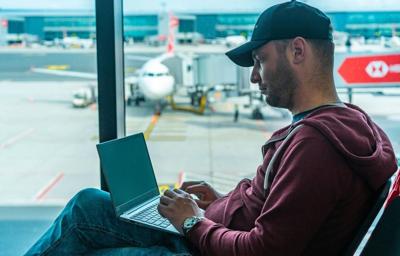

Holiday travel may bring more than long lines and packed gates this year. Increased delays worldwide are creating ideal conditions for cybercriminals targeting travelers on public Wi-Fi, cybersecurity experts say.
Air traffic control delays in Europe have jumped 114% over the past decade, according to new data from IATA. Similar congestion is emerging across global hubs, increasing the likelihood that travelers will spend extended time in terminals. That downtime often leads to checking email, boarding passes, or hotel confirmations over public Wi-Fi networks, which experts describe as an easy target for digital theft.
Travel demand continues despite higher costs and U.S. consumers remain more eager to travel than they have been in years. At the same time, the European Travel Commission reports that 82% of Europeans plan to expand their travel budgets even though total spending is expected to fall slightly from last year.
The rise in passenger volume coincides with worsening cyber threats. The U.K.’s cybersecurity agency recently reported that high-impact incidents increased 50% for the third consecutive year. Fortinet also observed a 42% spike in compromised credentials for sale on illicit forums.
Fake Networks and Unsecured Wi-Fi Pose Growing Risks
Crowded airports create a perfect testing ground for fraudulent networks. Public Wi-Fi remains a convenient way for travelers to manage itineraries, but cybersecurity specialists say it is also one of the easiest entry points for attackers.
A recent incident in Australia highlighted the threat. A man received a jail sentence after setting up a fake Wi-Fi hotspot on a domestic flight and capturing a passenger’s login information.
Experts at Planet VPN, one of the world’s largest free VPN providers, say “look-alike” networks are becoming more common in busy hubs. These rogue hotspots often mimic legitimate airport Wi-Fi labels, relying on distraction, fatigue, or stress to trick travelers into connecting.
Konstantin Levinzon, co-founder of Planet VPN, says most of these incidents never reach authorities. “Public Wi-Fi, whether in an airport, hotel, or restaurant, is often unencrypted and sometimes doesn’t even require a password,” Levinzon says. “This makes it easy for bad actors to see what sites users visit or even hijack their sessions. Users should be especially cautious this year, as the latest AI tools allow cybercriminals to accelerate their attacks, including those targeting Wi-Fi networks.”
Google recently advised users to avoid public Wi-Fi altogether, but for many travelers, especially after long flights or during delays, it remains the only practical option. Levinzon believes public networks can still be used safely, provided travelers take specific precautions.






Step 1: Choose a VPN Provider That Doesn’t Store Logs
A Virtual Private Network (VPN) offers the strongest defense for anyone connecting to a public network. By encrypting all traffic, a VPN helps prevent others on the same network from monitoring a user’s activity.
“On public Wi-Fi, your activity can be visible to anyone with the right tools, but once the VPN is on, your data travels inside the tunnel,” Levinzon says. “People on the same network, whether it’s hackers, hotspot owners, or even your internet service provider, only see scrambled traffic, not your personal information.”
He adds that a well-designed free VPN can provide essential encryption for travelers who cannot pay for a premium service. The key, he notes, is choosing a provider that does not retain logs or collect sensitive user information such as email addresses.
Step 2: Lock Down Devices Before Connecting
Preparing a device takes only a few seconds and significantly reduces exposure. Experts recommend disabling automatic connections to open networks to prevent devices from quietly joining fraudulent hotspots in the background.
Turning off file and printer sharing also limits visibility to others on the network, and installing software updates before leaving home reduces vulnerabilities attackers may attempt to exploit.
Step 3: Treat Public Wi-Fi as “Read-Only Mode”
“Use public Wi-Fi for searching the web or replying to an email, but avoid making transactions,” Levinzon says. “The same rules should apply not only during holiday travel but also in everyday life. With fast-evolving cybersecurity threats around us, it is important to stay vigilant and follow basic cyber hygiene practices, such as regularly updating software, using strong passwords, and enabling two-factor authentication.”
Experts say these precautions matter more than ever as crowding and delays continue to rise worldwide. The surge in air traffic bottlenecks reported earlier in the season underscores how frequently travelers now rely on Wi-Fi, making it essential to stay alert and informed.


(0) comments
Welcome to the discussion.
Log In
Keep it Clean. Please avoid obscene, vulgar, lewd, racist or sexually-oriented language.
PLEASE TURN OFF YOUR CAPS LOCK.
Don't Threaten. Threats of harming another person will not be tolerated.
Be Truthful. Don't knowingly lie about anyone or anything.
Be Nice. No racism, sexism or any sort of -ism that is degrading to another person.
Be Proactive. Use the 'Report' link on each comment to let us know of abusive posts.
Share with Us. We'd love to hear eyewitness accounts, the history behind an article.